Overview
We’ve enhanced calendar privacy when accessing accounts via the
Login As
functionality. Third-party calendar events now consistently respect privacy controls, even when viewed through elevated access.What’s New
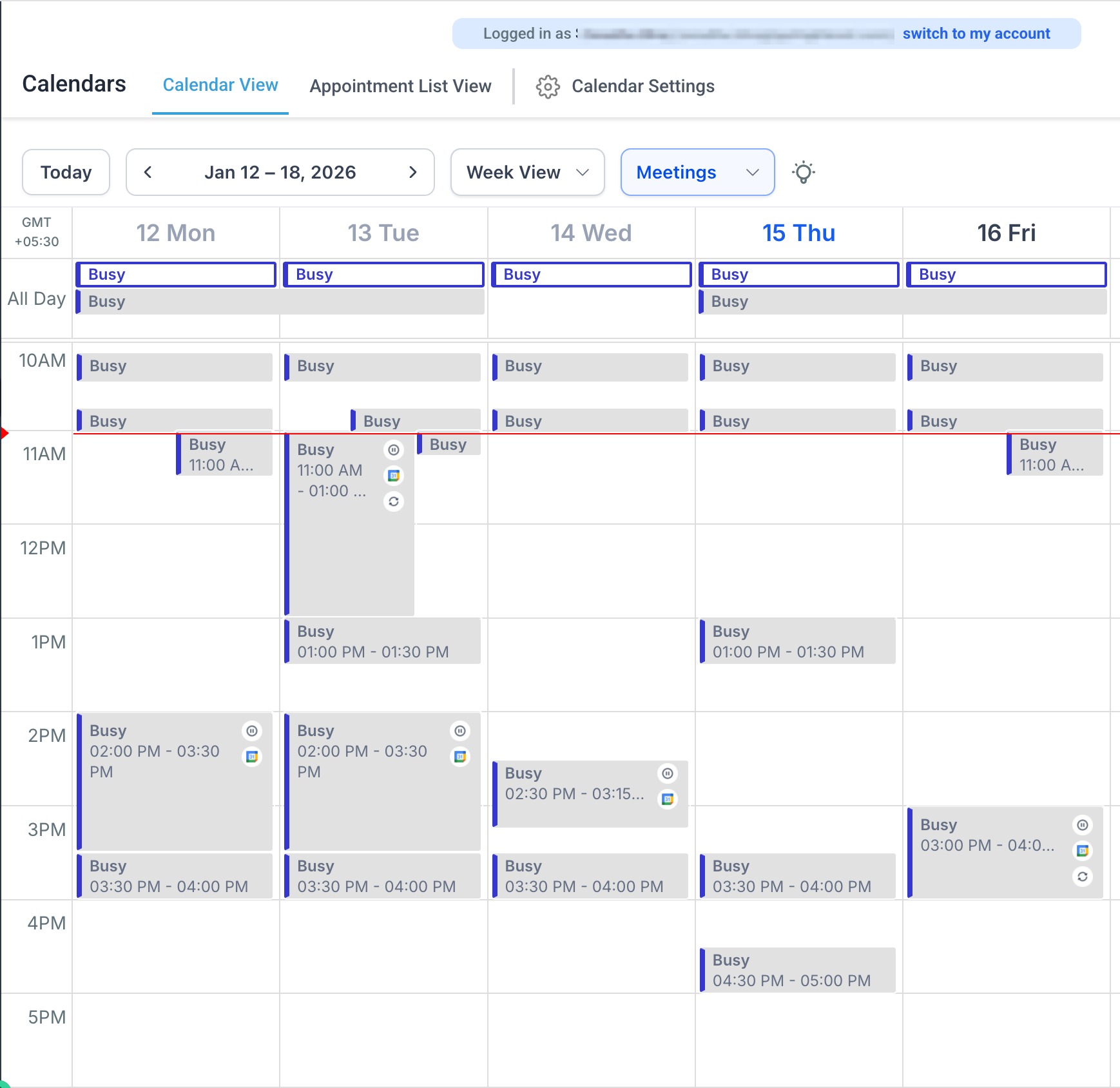
When using
Login As
functionality:- The Hide third-party event detailssetting is not shown inCalendar SettingsorMy Profile
- Third-party event details are never displayed and will appear as Busyinstead
- Event details remain visible only to the event owner
The original behavior remains unchanged:
- If Hide third-party event detailstoggle isON→ All third-party events show asBusyfor others in calendar view
- If Hide third-party event detailstoggle isOFF→ Onlyprivatethird-party events show asBusyin calendar view
Why It Matters
This enhancement strengthens privacy and security by ensuring third-party calendar details stay protected across all access methods, while preserving existing calendar behavior for end users.
Was this article helpful?
That’s Great!
Thank you for your feedback
Sorry! We couldn't be helpful
Thank you for your feedback
Feedback sent
We appreciate your effort and will try to fix the article